

SEO Budgeting Ecommerce Content Link Building Analytics

The Cost of SEO: A Practical Guide for Ecommerce

Udjin, CEO

Udjin

CEO

4 min read

SEO is a puzzle. Some pieces are free if you have time (Google Search Console, on-page fixes); others cost money (content, links, technical work). Below is a realistic, practitioner-style breakdown you can use to plan a monthly budget for a Shopify store or any ecommerce site.

Note: Ranges are illustrative. Your actual cost depends on niche difficulty, internal resources, and growth targets.

1) SEO Analysis — $0 with the right tools

  • Free stack: Google Search Console (GSC), Google Analytics, PageSpeed Insights.
  • Use cases: identify declining queries, diagnose CTR issues, track average position, spot slow templates.

Shopify tip: Pull complete GSC data (not just 1k rows) to see every query & page trend. Topify helps surface Popular / Growing / Decaying items automatically.

2) Site Optimization — ~$0 to $1,000 (project-based)

  • Theme clean-up, template speed, core web vitals, image compression, navigation tweaks.
  • High-impact areas: homepage, collection pages, top product pages, internal linking.

Shopify tip: Prefer theme apps that don’t inject render-blocking scripts. Batch image compression and lazy loading usually deliver quick wins.

3) Keyword Research — ~ $150/month (tools)

  • Validate 50–100 priority keywords/month and group by intent (informational, category, product).
  • Prioritize terms by business value (profit margins, stock levels, near-top positions).

Budget saver: Start with GSC to mine real queries, then use a paid tool for gap analysis and SERP checks.

4) Competitive Research — usually $0 extra

  • Most paid keyword tools include competitor views—use them to find missed categories and link opportunities.
  • Track competitors’ growing pages to spot product trends and content gaps.

5) Content Planning — $0 with internal tools

  • Use Notion, Airtable, or Sheets to maintain a content calendar and briefs.
  • Aim for 5+ pieces/month across blog, category guides, FAQs, and help content.

Shopify tip: Map content to collections and filters; add internal links from blog to commercial pages.

6) Content Writing — ~$0 to $250 per piece

  • DIY: founder/marketer writes briefs and drafts; use AI for outlines and product FAQs.
  • Outsourced: niche writer or editor for polish and brand voice.
  • Prioritize pages with measurable upside (queries in positions 6–10; collections with stock & margin).
  • Partnerships, PR mentions, supplier/brand listings, community features.
  • Focus on quality over quantity (referring domains with real traffic).

Shopify tip: Create link-worthy assets: size guides, comparison charts, warranty pages, and data posts.

8) “SEO for ChatGPT/AI” — ~$0 to $2k/month

  • Structured data (JSON-LD), clear answers, FAQs, spec tables—content that’s easy to extract.
  • Get cited in reputable sources; publish unique data that LLMs want to reference.

Reality check: Treat AI exposure as a by-product of great information architecture and trust signals, not a separate channel.

9) Analytics & Reporting — ~$0 to $3k/month

  • Track keywords, clicks, CTR, positions in GSC; revenue attribution where possible.
  • Automate dashboards; annotate releases, promos, and price changes.

Shopify tip: Use daily GSC syncs to avoid sampling and catch week-over-week anomalies early.

Total Monthly SEO Cost: Two Typical Paths

Path What’s Included Typical Monthly Range
DIY Free tools + a paid keyword suite; 4–8 hours/week for content & fixes ~ $150/mo (tools only)
Done-For-You (DFY) Content, links, technical sprints, reporting $1,000–$3,000/mo+

These are directional ranges, not quotes. Enterprise, multi-language, or competitive niches can exceed them.

How to Allocate Your Budget

  • 80/20 on outcomes: prioritize pages that are near top results, have margin, and are in stock.
  • Foundations first: speed, crawlability, clean collections, internal links.
  • Compounding assets: evergreen guides, comparison pages, size charts, UGC.

Quick Startup Checklist

  1. Connect Google Search Console and verify your primary domain.
  2. Sync the last 16 months of data and flag Growing vs. Decaying pages.
  3. Pick 10 commercial keywords (collections/products) and 5 supporting blog topics.
  4. Ship two speed fixes and add internal links from blog to collections.
  5. Secure 2–4 quality links from partners/suppliers.
  6. Review results in 30 days; double down on what moved clicks/CTR.

Bottom line: You can start SEO with a near-zero budget by using GSC and focused on-page work. Add spend for content, links, and technical sprints as revenue grows. The goal isn’t to buy SEO—it’s to invest in the few actions that reliably increase visibility and sales.

Share Article

Related Articles

Featured image for AI Tools for SEO: The Best Paid & Free Options for Shopify Stores in 2024
SEO Shopify Ecommerce SEO AI Tools Content Marketing Keyword Research On-Page SEO Conversion Rate Optimization Topify

AI Tools for SEO: The Best Paid & Free Options for Shopify Stores in 2024

Most Shopify brands know they "should use AI" for SEO—but end up with random tools and messy content. This guide breaks AI tools into seven jobs (research, keywords, images, copywriting, content, design, and on-page SEO) and shows how to use both paid and free options to grow organic traffic and sales for your store.

Featured image for 11 Best SEO Keyword Research Tools in 2025 (For Shopify & Ecommerce Stores)
SEO Shopify Ecommerce SEO Keyword Research Content Marketing PPC Topify

11 Best SEO Keyword Research Tools in 2025 (For Shopify & Ecommerce Stores)

Choosing the right keyword tools can make or break your Shopify SEO in 2025. This guide breaks down 11 of the best options—from heavyweights like Ahrefs and Semrush to lightweight browser extensions like Keywords Everywhere and Keyword Surfer—and explains exactly how to use them to grow organic traffic and sales, not just rankings.

Featured image for How to Become an SEO Expert in 2025 (Roadmap for Shopify & Ecommerce)
SEO Shopify Ecommerce SEO AI SEO Technical SEO Content Marketing SEO Career Topify

How to Become an SEO Expert in 2025 (Roadmap for Shopify & Ecommerce)

Most Shopify marketers don't need another random SEO tip—they need a clear roadmap. This guide breaks down how to become an SEO expert in 2025 step by step: learn the basics, master technical and AI-driven SEO, build a repeatable process, specialize in ecommerce, automate tasks, and use free tools with data from Topify to keep improving.

Featured image for The SEO Content Matrix for Google: A Practical Content Plan for Shopify Stores
SEO Shopify Ecommerce SEO Content Strategy Google Search Content Marketing UX Keyword Research Topify

The SEO Content Matrix for Google: A Practical Content Plan for Shopify Stores

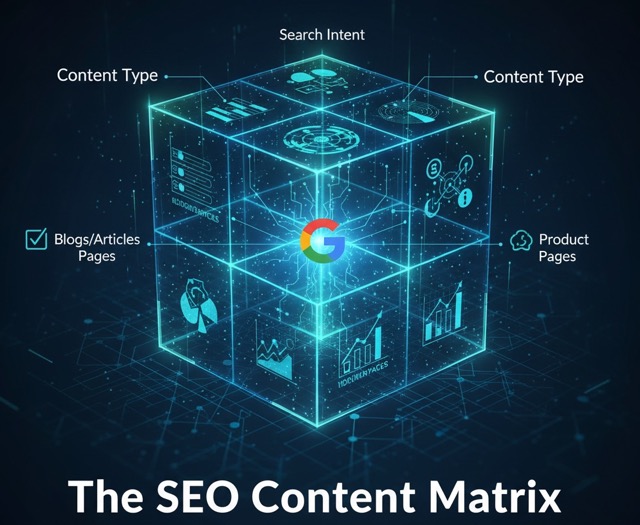
Most Shopify brands publish content without a clear map: a random product guide here, a blog post there, and no plan for how it all works together in Google. The SEO Content Matrix for Google turns your ideas into a simple grid—by intent and by time—so you know exactly which pages to create to drive impressions, convert traffic, build authority, and keep customers coming back.

Featured image for Fashion E-commerce SEO Guide for Shopify Brands
Fashion SEO Ecommerce SEO Shopify SEO Fashion Marketing Apparel SEO Category SEO Topify

Fashion E-commerce SEO Guide for Shopify Brands

Fashion and apparel SEO has unique challenges: fast-changing inventory, seasonal trends, rich imagery, and high competition. In this guide, Udjin (CEO of Topify) breaks down a complete Fashion E-commerce SEO strategy specifically for Shopify stores — from collection architecture and seasonal content to lookbooks, influencer backlinks, and optimizing filters.

Featured image for Shopify Image SEO: How to Optimize Product Photos for Google
Shopify SEO Shopify Image SEO shopify seo image Ecommerce SEO Technical SEO Page Speed Topify

Shopify Image SEO: How to Optimize Product Photos for Google

Most Shopify guides treat images as decoration. In reality, image SEO can drive thousands of extra visits from Google Images and improve your overall rankings. In this article, Udjin (CEO of Topify) explains step by step how to optimize every product and collection image for search—covering file names, alt text, size, compression, lazy loading, and structured data for the query "shopify seo image".

Featured image for Shopify Technical SEO Checklist
Shopify Technical SEO Technical SEO Ecommerce SEO Shopify SEO Core Web Vitals Crawl Optimization Indexation Topify

Shopify Technical SEO Checklist

Technical SEO is one of the biggest ranking factors for Shopify stores—yet also the most misunderstood. In this advanced guide, Udjin (CEO of Topify) presents a complete Shopify Technical SEO checklist, including site speed, URL structure, indexation, duplicate content, structured data, Core Web Vitals, internal linking, and theme-level optimizations.