
What counts as a broken link?
- 404 Not Found — the URL doesn’t exist.
- Soft 404 — returns 200 OK but the page is effectively “not found” (thin/placeholder).
- 410 Gone — the URL was intentionally removed.
- Other crawl errors — 5xx server errors, DNS issues, or submitted-but-blocked pages.
Why it matters: Broken links frustrate users, waste crawl budget, and can break internal navigation. Fixing them protects rankings and conversions.
Where to find broken links in Google Search Console
1) Indexing → Pages report
- Open Indexing → Pages (formerly Coverage).
- Review Not found (404) and Soft 404 groups.
- Click a status → inspect Examples of affected URLs.
- Use Export to CSV/Sheets for bulk triage.
2) URL Inspection tool
- Paste a problematic URL into Inspect any URL.
- Check if it’s indexed, blocked, or returning 404/soft 404.
- After a fix, use Test live URL and optionally Request indexing.
3) Crawl Stats (Settings → Crawl stats)
- Watch for spikes in Not found or Server error responses—often signs of systemic issues.
4) Sitemaps
- If GSC reports Submitted URL not found (404) or Submitted URL blocked by robots.txt, clean your sitemaps or update those pages. Sitemaps should list only live, canonical URLs.
Note: GSC lists broken URLs but doesn’t directly show which page links to them. Use the methods below to find sources.
How to identify the source of a broken link
- Run a site crawl (e.g., Screaming Frog) to find internal pages linking to a 404 URL.
- Track 404s in analytics:
- Make sure your custom 404 page logs the Requested URL and Referrer or fires a GA4 event.
- In GA4, record a
page_viewon the 404 template with extra params (referrer, page_location).
- Codebase search for the broken slug across templates/content.
- GSC Links (internal) can sometimes hint at historic sources for live URLs.
Fix workflows by error type
A) URL moved or renamed → 301 redirect
- Create a 301 from the old URL to the most relevant new page.
- Update internal links to the new URL.
- Keep the 301 long-term if the old URL has backlinks.
B) Typos in internal links → fix links (plus safety redirect)
- Correct links in nav, content, collections, and templates.
- Add a safety 301 from the typo to the correct URL.
C) Product discontinued
- If a successor exists → 301 to that product or parent category.
- If permanently gone → consider 410 Gone.
- Avoid mass redirecting to the homepage (weak relevance).
D) Soft 404 (thin/empty)
- Add real content (details, related items, in-stock options).
- For empty categories, redirect to parent or hide/noindex until inventory returns.
- Consolidate duplicates and set accurate canonicals.
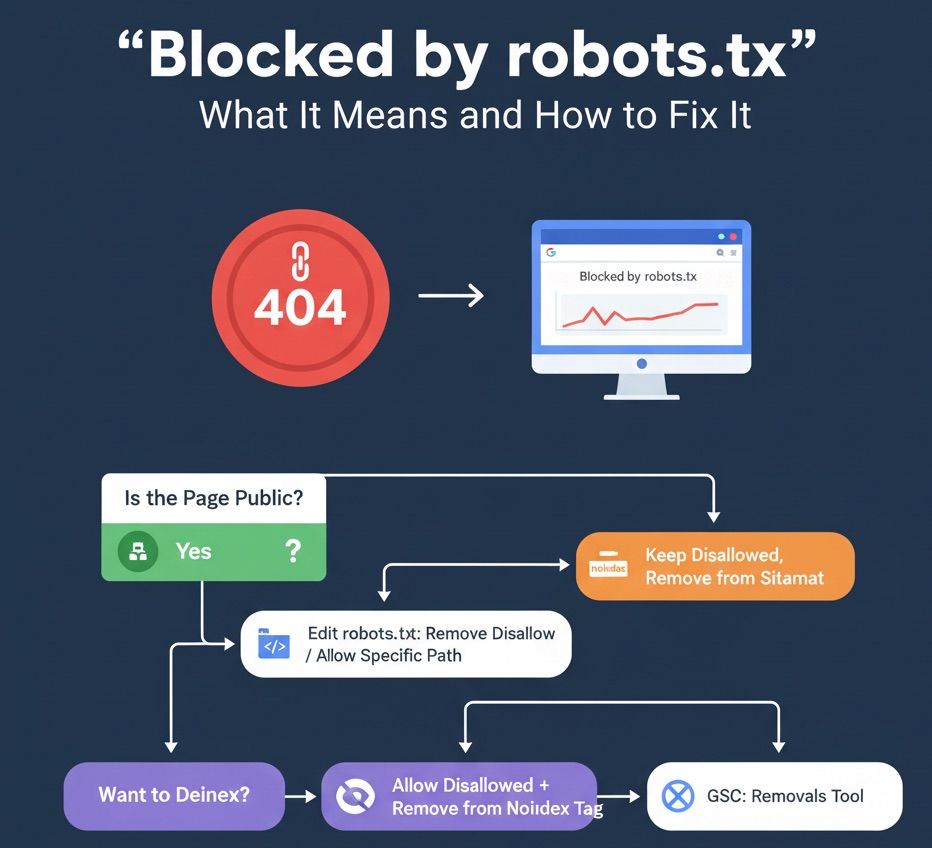
E) Robots/noindex conflicts
- If a page should be indexed, ensure it’s not blocked and doesn’t carry
noindex. - If it shouldn’t be indexed, remove from sitemap and consider
noindex(don’t block via robots if you want Google to read the tag).
How to verify fixes in GSC
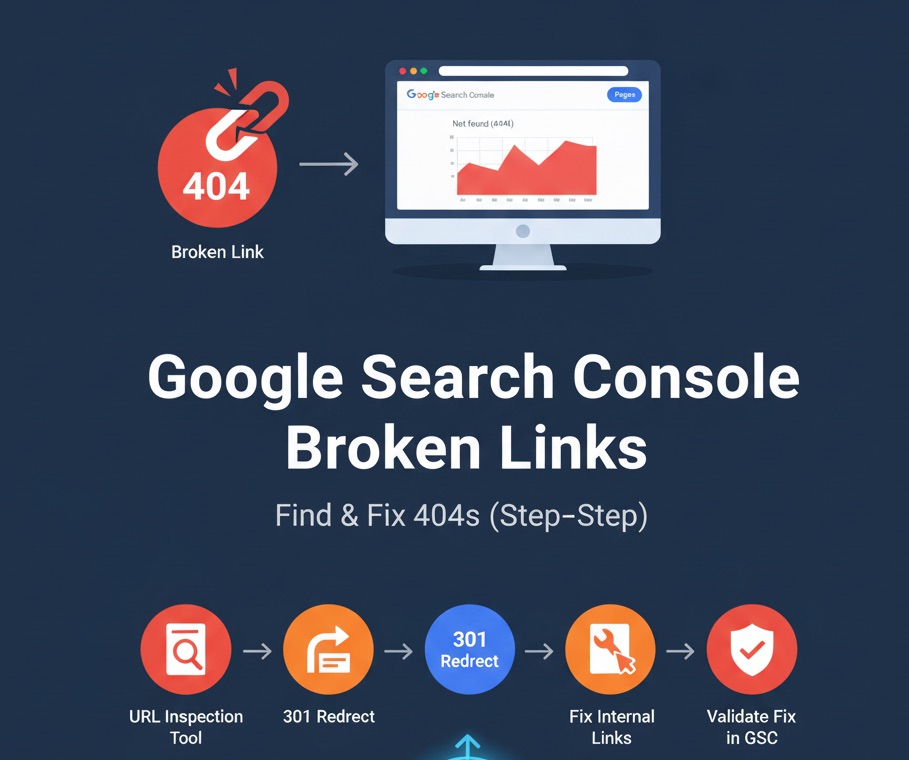
- Use URL Inspection → Test live URL to confirm new status (200/301/410).
- Click Request indexing where appropriate.
- In Indexing → Pages, click Validate Fix for the issue type; GSC rechecks a sample and updates status.
Timing: Updates can take days to weeks. Validation flows usually speed things up.
How to prioritize high-impact 404s
- Group by pattern (missing folders, casing, trailing slash) and fix with one rewrite when possible.
- Check backlinks (GSC Links or external tools). 404s with external links deserve urgent 301s.
- Protect revenue paths (collections, top products, checkout steps).
Create redirects in Shopify (no server code)
Option 1 — Single redirect in the admin
- Go to Admin → Online Store → Navigation → View URL redirects.
- Click Create URL redirect.
- Set Redirect from (old/broken URL) and Redirect to (most relevant live page).
- Save. Shopify serves a 301 automatically.
Option 2 — Bulk rules with DataEase
If you have dozens or hundreds of redirects to add, use the DataEase bulk redirects tool. It supports:
- CSV upload and validation (duplicates, loops, trailing slash/casing normalization).
- Pattern transformations (e.g., whole-folder moves) and instant conflict checks.
- One-click push to Shopify’s URL redirects API and change logs for audit.
Prevent future broken links
- Keep sitemaps clean — only live, canonical URLs.
- Automate link checks — schedule a weekly crawler scan.
- Log 404s — capture referrer & requested URL; fix patterns proactively.
- Handle product lifecycle — define redirect rules for archived items.
- Consistent URL rules — enforce trailing slash, lowercase, and locale patterns.
FAQ: GSC & broken links
Does GSC show which page links to a 404?
No. Use a crawler, analytics 404 tracking, or code search.
301 or 410?
301 if a relevant alternative exists; 410 if it’s permanently removed with no substitute.
How fast will GSC update after a fix?
Anywhere from a few days to a few weeks. Use Validate Fix and Request indexing.
Quick checklist (Find & Fix)
- Export 404/soft 404 from Indexing → Pages.
- Group by pattern; apply redirects or content fixes.
- Find source links via crawler/analytics; correct internal links.
- Validate Fix and Request indexing in GSC.
- Monitor Crawl stats weekly.
Pro tip: Topify brings full GSC metrics (queries, pages, countries, devices) into one dashboard so you can spot 404-related drops and recover faster.