

If you're searching for "shopify technical seo", you're looking for more than on-page tweaks. You want the deeper, structural optimizations that make Google trust your store—and help your pages rank faster and more consistently.
As CEO of Topify, I've analyzed thousands of Shopify stores and seen the same patterns: slow themes, duplicate URLs, weak internal linking, and poor indexation. These technical issues quietly kill rankings and revenue.
This guide gives you a complete, advanced Shopify Technical SEO Checklist that you can apply step by step.
1. Core Web Vitals (Speed & Performance)
Google uses Core Web Vitals (CWV) as a ranking factor. On Shopify, performance issues usually come from apps, images, and theme code.
Checklist:
- ✔ Compress all product & lifestyle images (< 250 KB where possible)
- ✔ Serve WebP or AVIF images automatically
- ✔ Lazy-load all below-the-fold images (
loading="lazy") - ✔ Minimize large hero banners (< 300 KB recommended)
- ✔ Remove unused apps that inject JavaScript
- ✔ Defer non-critical JS scripts
- ✔ Use a fast, modern Shopify theme (Dawn or equivalent)
- ✔ Reduce DOM size by cleaning up excessive blocks/sections
Tools to validate: PageSpeed Insights, Lighthouse, Topify performance dashboards.
2. URL Structure Optimization
Shopify has fixed URL patterns, but you can still optimize your handles.
Checklist:
- ✔ Use clean handles:
/products/waterproof-hiking-boots - ✔ Avoid numbers, special characters, or long handles
- ✔ Redirect old handles using Shopify's built-in redirect tool
- ✔ Always keep one canonical version of each page
Shopify automatically generates canonical tags—but verify them manually for custom themes.
3. Duplicate Content Prevention
Duplicate content is one of the biggest technical SEO issues in Shopify.
Main sources of duplication:
- product variants
- tag pages
- search pages
- collection filtering parameters
Checklist:
- ✔ Confirm canonical tags are present in
theme.liquid - ✔ Block low-value pages in
robots.txt.liquidif needed - ✔ Avoid indexing tag pages
- ✔ Avoid indexing
?page=pagination URLs - ✔ Avoid creating empty collections with no products
Tip: Shopify's automatic canonicalization is good, but custom themes or apps sometimes break it—always double-check.
4. XML Sitemap & Indexation
Your Shopify sitemap is located at:
/sitemap.xml
Checklist:
- ✔ Submit
sitemap.xmlto Google Search Console - ✔ Check "Indexed vs Not Indexed" report weekly
- ✔ Remove dead pages (set to "draft" or delete)
- ✔ Ensure high-value pages have internal links
- ✔ Check for "Crawled — not indexed" warning
Indexation problems usually come from thin content or weak internal linking—not from the sitemap itself.
5. Theme Structure & Liquid Code Health
A slow or bloated theme can destroy your SEO.
Checklist:
- ✔ Remove unused Liquid sections
- ✔ Minify CSS & JavaScript (theme settings or Shopify Online Store 2.0)
- ✔ Use OS 2.0 sections everywhere for cleaner DOM
- ✔ Move inline scripts to deferred JS
- ✔ Avoid installing themes with excessive animation libraries
The cleaner your theme structure, the easier Google can render and index your pages.
6. Structured Data (JSON-LD)
Structured data helps your Shopify store qualify for rich results.
Checklist:
- ✔ Product schema (price, availability, rating)
- ✔ Breadcrumb schema
- ✔ Article schema on blog posts
- ✔ Organization schema with brand details
- ✔ Review schema (if using a review app)
Important: Many themes contain broken or incomplete schema—validate using Google's Rich Results Test.
7. Internal Linking Architecture
Technical SEO isn't just code—internal linking is structural SEO.
Checklist:
- ✔ Collections → link to best-selling products
- ✔ Products → link to main collections
- ✔ Blogs → link to products & collections
- ✔ Add breadcrumb navigation
- ✔ Avoid orphan pages (no internal links at all)
Good internal linking helps pages index faster and rank more consistently.
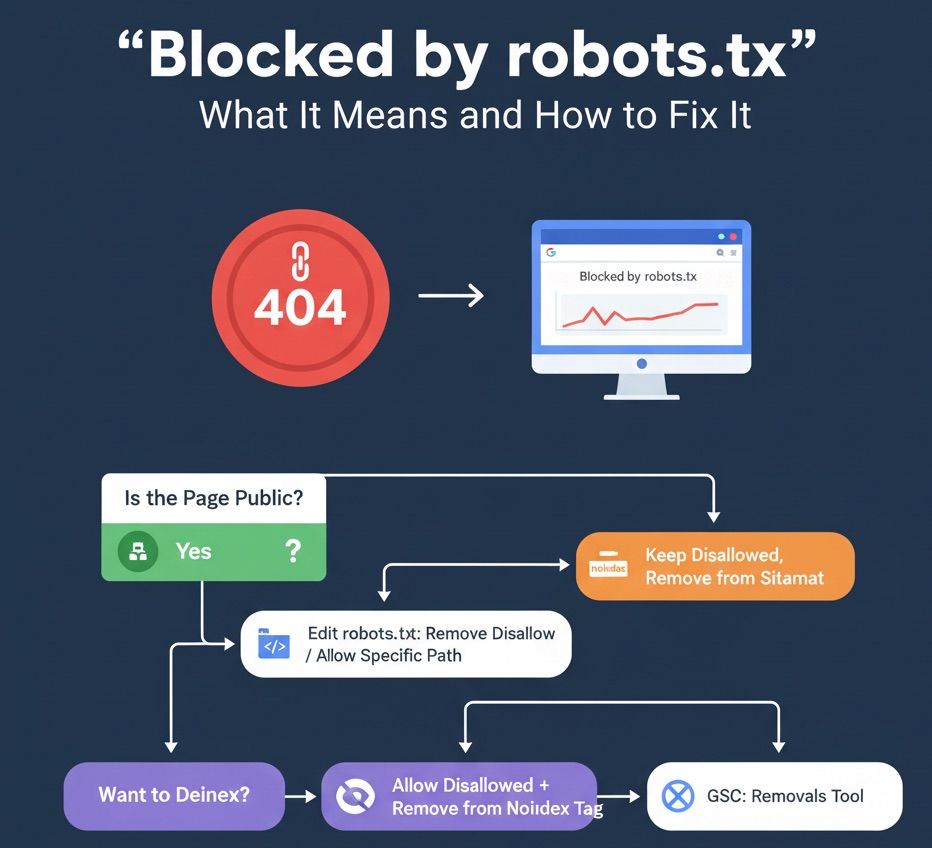
8. Robots.txt Optimization
You can now modify Shopify's robots.txt.liquid.
Checklist:
- ✔ Block tag pages if they bloat your index
- ✔ Block
/searchpages - ✔ Block cart & checkout URLs
- ✔ Allow crawling of all core product & collection pages
Improper robots settings can cause massive indexing loss—be careful.
9. Pagination & Faceted Navigation
Shopify automatically generates pagination URLs like:
/collections/all?page=2
Checklist:
- ✔ Keep canonical pointing to page 1
- ✔ Avoid indexing pagination URLs
- ✔ Ensure products appear in logical collections
- ✔ Avoid infinite-scroll themes that break crawlability
Pagination issues often create duplicate content if not controlled.
10. App Bloat & JavaScript Control
Shopify apps inject scripts into your store. Too many scripts = slow, unstable site.
Checklist:
- ✔ Remove unused apps
- ✔ Use Shopify App Blocks (OS 2.0) instead of global scripts
- ✔ Defer or async third-party scripts when possible
- ✔ Avoid installing duplicate apps
Each app should earn its keep — no ROI = remove it.
11. International SEO (If Applicable)
If your Shopify store serves multiple markets:
Checklist:
- ✔ Use Shopify Markets with correct hreflang tags
- ✔ Avoid duplicate content across languages
- ✔ Ensure currency/language switchers don't break URLs
Bad hreflang implementation can crush your visibility internationally.
12. Advanced Indexation Monitoring with Topify
Technical SEO isn't complete without monitoring. Shopify alone can't show:
- which URLs are indexed
- which pages are declining
- which pages bring SEO revenue
- which pages are stuck in "Crawled — not indexed"
Topify solves this by combining Google Search Console + Shopify revenue data.
With Topify you can see:
- indexed vs non-indexed URLs
- which optimizations improved rankings
- your top SEO revenue pages
- your fastest-growing keywords
- your technical SEO bottlenecks
This turns technical SEO from guesswork into clear, data-backed decision-making.
13. Full Shopify Technical SEO Checklist (Copy & Paste)
- ✔ Optimize Core Web Vitals (LCP, CLS, INP)
- ✔ Compress & lazy-load images
- ✔ Clean theme code & remove unused scripts
- ✔ Use clean URL handles & set redirects
- ✔ Ensure canonical tags are present & correct
- ✔ Fix duplicate content (tags, variants, search pages)
- ✔ Submit your sitemap to Google
- ✔ Monitor indexed vs non-indexed pages
- ✔ Implement structured data (JSON-LD)
- ✔ Improve internal linking structure
- ✔ Optimize robots.txt
- ✔ Control pagination & faceted navigation
- ✔ Reduce app bloat
- ✔ Monitor technical performance with Topify
Final Thoughts from Udjin
Technical SEO is the foundation of every successful Shopify store. Without strong structure—fast pages, clean URLs, stable indexing, and high-quality schema—your content and products won't reach their potential.
If you follow this checklist, your Shopify store will become easier for Google to crawl, easier for customers to browse, and significantly more likely to generate organic revenue.
And with Topify, you can track every improvement in real time—finally connecting technical SEO to business results.